
TradingView vs MetaTrader: Two Different Tools for Two Different Traders
Here’s something most platform comparisons won’t tell you: TradingView and MetaTrader are not really competitors. They solve different problems.
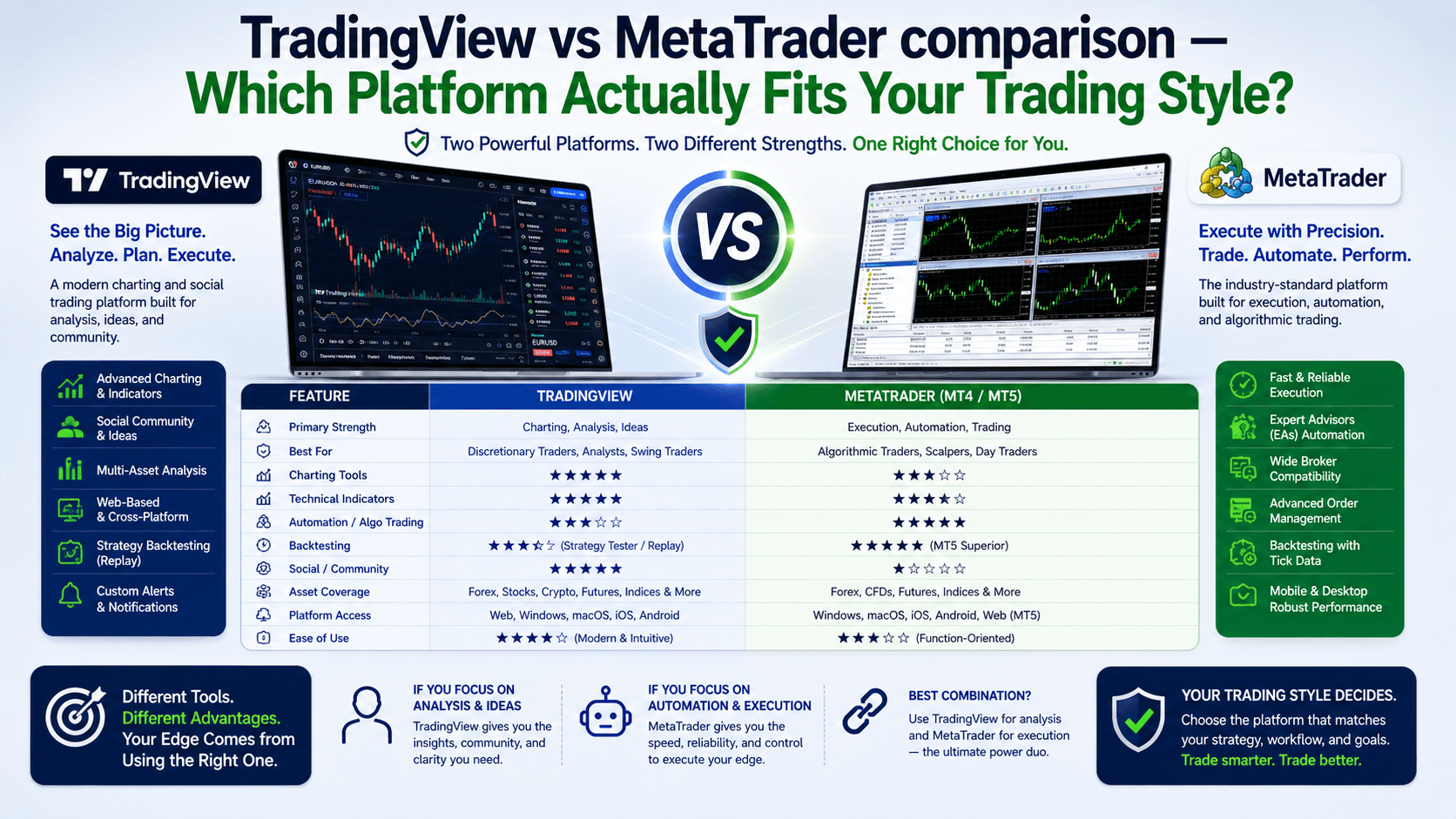
TradingView is a charting-first platform built for analysis, community, and multi-asset coverage. MetaTrader (MT4 and MT5) is an execution-first platform built for direct broker connectivity, automated trading, and forex-specific workflows.
Choosing between them isn’t about which is “better.” It’s about understanding what you actually do at your desk every day and matching the tool to the task.
Let’s break down exactly where each platform excels — and where one falls short.
Charting and Technical Analysis — Where TradingView Dominates
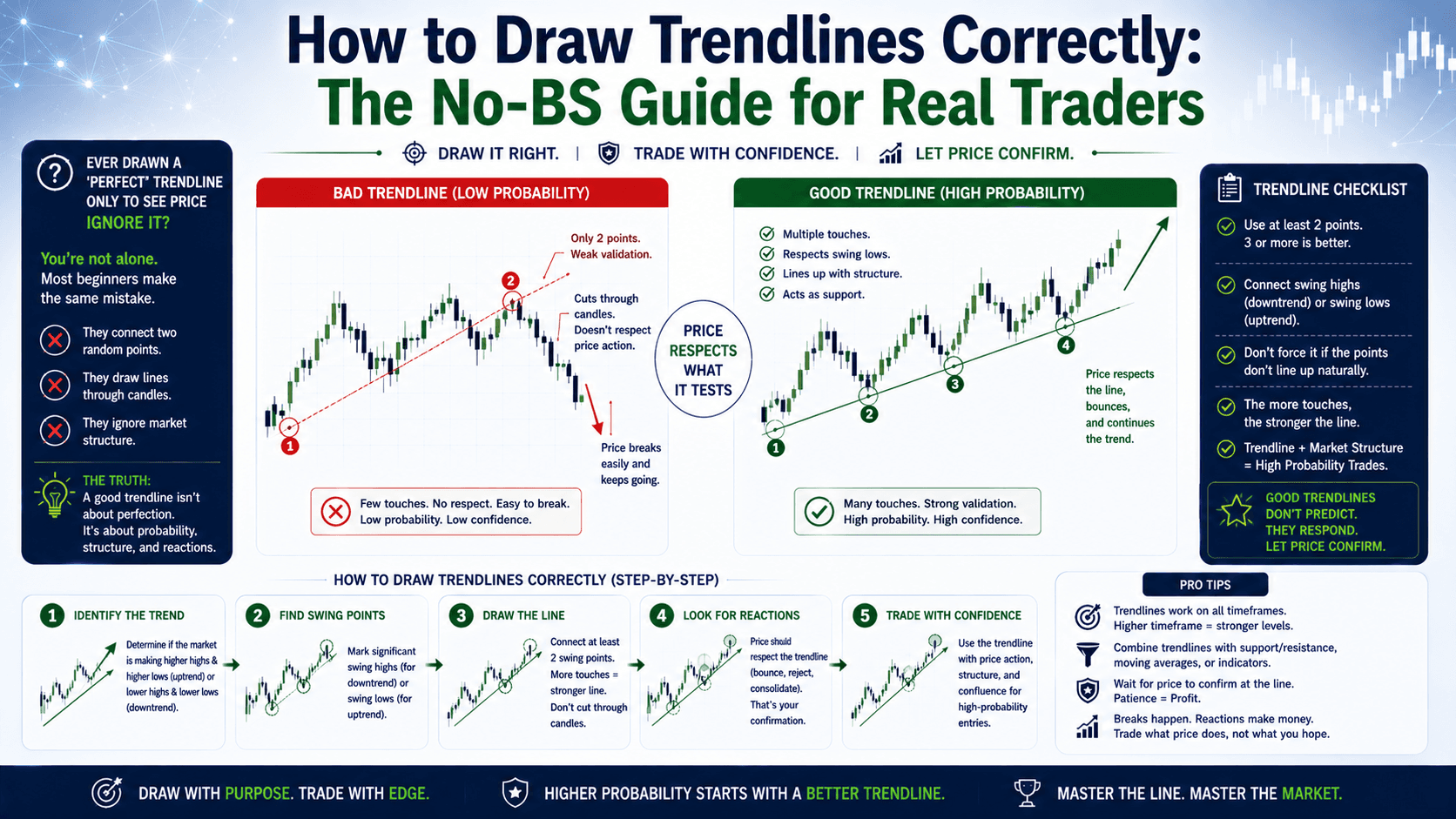
If you spend most of your time drawing trendlines, studying price action, and testing indicators, TradingView is the clear winner.
The platform offers over 100 built-in indicators, 110+ drawing tools, and the ability to display up to 16 charts per tab on the Ultimate plan. Charts are clean, responsive, and highly customizable. Multi-timeframe analysis is seamless, and you can overlay data from different assets on the same chart without breaking a sweat.
TradingView’s Pine Script language lets you build custom indicators and strategies. The community has published over 100,000 free scripts, so there’s a good chance someone has already built what you need. Pine Script is beginner-friendly compared to MQL, and everything runs in the cloud — no software to install, no files to manage.
MetaTrader’s charting is functional but dated. MT4 offers 30 built-in indicators and 9 timeframes. MT5 improves on this with 38 indicators and 21 timeframes, plus a built-in economic calendar. Both support custom indicators through MQL4 and MQL5 respectively, but the learning curve is steeper since MQL resembles C++ syntax.
For pure chart analysis, TradingView wins decisively. The gap is especially wide if you trade multiple asset classes or need to share annotated charts with a community.
| Charting Feature | TradingView | MetaTrader (MT4/MT5) |
|---|---|---|
| Built-in indicators | 100+ | 30 (MT4) / 38 (MT5) |
| Drawing tools | 110+ | ~30 |
| Max charts per tab | 16 (Ultimate plan) | 9 (MT4) / 21 timeframes (MT5) |
| Custom scripting language | Pine Script (beginner-friendly) | MQL4/MQL5 (C++-like) |
| Community scripts | 100,000+ free | Thousands (paid/free on MQL5) |
| Multi-asset charting | Stocks, crypto, forex, futures | Primarily forex and CFDs |
Automated Trading — MetaTrader’s Uncontested Territory
This is where MetaTrader dominates, and it’s not close.

MT4 and MT5 support Expert Advisors (EAs) that execute trades automatically without any human intervention. You can build complex trading robots using MQL4 or MQL5, backtest them against historical data, and deploy them to trade 24 hours a day.
The development environment includes a full IDE (MetaEditor), a debugger, and comprehensive documentation. The MQL5 marketplace has thousands of commercial EAs and indicators. Many professional algorithmic traders run multiple EAs simultaneously on dedicated servers or VPS instances, keeping their strategies active even when their personal computer is off.
You can also rent signals from successful traders through MetaTrader’s built-in Signals service, which copies trades automatically into your account.
TradingView’s automation story is much thinner. Pine Script can define strategy logic and generate alerts, but it cannot execute trades natively. To automate order execution from TradingView, you need third-party bridges like PineConnector that forward webhook alerts to a MetaTrader terminal for execution. This adds latency, complexity, and another potential point of failure.
If you’re building or running trading robots, MetaTrader is the only serious option between these two.
Broker Integration and Order Execution
MetaTrader connects directly to your broker. When you place a trade in MT4 or MT5, the order goes straight to your broker’s server. Execution speed depends on your connection quality and broker infrastructure, which is why serious traders use VPS hosting co-located near broker servers to minimize latency.
MT4 supports four order types (market, limit, stop, trailing stop). MT5 adds six pending order types including buy stop limit and sell stop limit. Both platforms show real-time bid/ask pricing, depth of market (DOM) on MT5, and one-click trading from the chart.
TradingView has expanded its broker integration significantly in recent years. You can now connect accounts from brokers like JustMarkets, Exness, and several others directly within TradingView’s interface. However, the broker list is more limited compared to MetaTrader’s near-universal adoption across forex brokers.
One practical difference: with MetaTrader, virtually every forex and CFD broker on the planet offers MT4 or MT5 connectivity. TradingView’s broker integration is growing but still selective. If your broker isn’t on TradingView’s supported list, you’re stuck using it for analysis only.
Pricing — Free vs Subscription
MetaTrader is completely free. Both MT4 and MT5 cost nothing to download and use. Your broker provides the platform at no charge, and all core features including charting, indicators, EA deployment, and backtesting come included. The MQL5 marketplace has paid add-ons, but the platform itself is zero cost.
TradingView operates on a freemium model. The free plan is functional but limited to one chart per tab, three indicators per chart, and includes ads. To unlock the platform’s real power, you need a paid subscription.
| Plan | Monthly | Annual (per month) | Key Features |
|---|---|---|---|
| Essential | $14.95 | ~$12.95 | 2 charts/tab, 5 indicators, no ads |
| Plus | $29.95 | ~$24.95 | 4 charts/tab, 10 indicators, alerts |
| Premium | $59.95 | ~$49.95 | 8 charts/tab, 25 indicators, priority support |
| Ultimate | $99.95 | ~$83.29 | 16 charts/tab, 50 indicators, all features |
For most active traders, the Plus or Premium plan is the sweet spot. But that’s $300 to $600 per year just for your charting platform. MetaTrader gives you everything for free, though you trade some charting polish for that savings.
Multi-Asset Coverage and Platform Accessibility
TradingView covers nearly everything. Stocks, ETFs, bonds, forex, crypto, futures, indices, and economic data are all available on one platform with data from over 150 exchanges worldwide. You can chart the S&P 500 next to Bitcoin next to EUR/USD without switching tools.
MetaTrader is primarily a forex and CFD platform. While MT5 expanded to include stock and futures trading for some brokers, your available instruments depend entirely on what your broker offers. You won’t find comprehensive stock data or crypto coverage comparable to TradingView.
If you trade only forex or CFDs, MetaTrader’s coverage is sufficient. If you trade across multiple markets or want a single platform for all your analysis, TradingView is the better fit.
On accessibility: TradingView runs entirely in your browser. No download, no installation, no compatibility issues. It works on Windows, Mac, Linux, Chromebooks, and tablets. Your settings, charts, and layouts sync automatically across every device you log into.
MetaTrader requires a desktop installation. MT4 and MT5 are native Windows applications. Mac users can run them through unofficial wrappers or Wine, but the experience is inconsistent. There’s no native Linux support either. MetaQuotes does offer a web terminal for MT5, but it’s a stripped-down version that lacks EA support and advanced features.
FAQ
Is TradingView better than MetaTrader for forex trading?
It depends on your priorities. TradingView offers superior charting and multi-asset analysis. MetaTrader provides direct broker execution, automated trading through Expert Advisors, and universal forex broker support. For pure chart analysis, TradingView wins. For trade execution and automation, MetaTrader is the stronger choice.

Can I use TradingView and MetaTrader together?
Yes, and many traders do exactly this. They analyze markets on TradingView’s charts and execute trades through MetaTrader. Tools like PineConnector let you forward TradingView alerts to MetaTrader for semi-automated order execution, giving you the best of both platforms.
Is MetaTrader really free?
Yes. Both MT4 and MT5 are completely free to download and use. Your broker provides the platform at no charge. The only costs are optional add-ons from the MQL5 marketplace and any VPS hosting if you run automated strategies around the clock.
Which platform is better for prop firm trading?
Most prop firms support MetaTrader 4 or MT5, making it the safer choice for funded accounts. Some prop firms like FTMO have added TradingView and cTrader support, but MetaTrader remains the most widely accepted platform. Check your prop firm’s requirements before committing to either platform.
Quick Recap
- TradingView excels at charting, community, and multi-asset analysis — ideal for discretionary traders
- MetaTrader dominates automated trading, broker integration, and execution — essential for algo traders
- TradingView costs $15-$100/month for full features; MetaTrader is free
- Many professionals use both: TradingView for analysis, MetaTrader for execution
- Your choice depends on your trading style, not marketing hype
Quick Win
Open a demo account on both platforms today. Spend 15 minutes on TradingView drawing trendlines on EUR/USD. Then spend 15 minutes on MT5 setting up a simple moving average crossover. Notice which one feels more natural to you. That’s your answer.