
Why Most Traders Get Overwhelmed by the Ichimoku Cloud
You've seen it on a chart. Five lines, a colored cloud, and it looks like someone spilled a box of spaghetti on your screen. Most traders take one look at the Ichimoku Cloud and move on to something simpler.
Big mistake.
The Ichimoku Cloud is one of the most complete technical analysis tools ever created. It shows you trend direction, momentum, support and resistance, and even projects future price levels — all in one view. The problem isn't the indicator. It's that nobody explains it properly.
Let's fix that.
What Is the Ichimoku Cloud? (The One-Look Chart)
The Ichimoku Cloud — or Ichimoku Kinko Hyo — was developed by Japanese journalist Goichi Hosoda in the 1930s. He spent 30 years refining it before releasing it publicly in the 1960s. The name translates to "one-look equilibrium chart," meaning you should be able to glance at it and understand market conditions instantly.
Here's the deal: The Ichimoku Cloud is not a single indicator. It's a complete trading system made of 5 components. Each one serves a specific purpose. Together, they give you a 360-degree view of the market.
The 5 Components of the Ichimoku Cloud
Let's break down each piece. No math overload — just what it does and why it matters.
1. Conversion Line (Tenkan-sen) — The Fast Trigger
The Conversion Line is the midpoint of the highest high and lowest low over the last 9 periods. Think of it as a super-sensitive moving average.
What it does: Reacts quickly to price changes. When it turns up, short-term momentum is shifting bullish. When it turns down, sellers are stepping in.
Why it matters: It gives you early signals. But because it's fast, it also gives false signals in choppy markets.
2. Base Line (Kijun-sen) — The Trend Anchor
The Base Line is the midpoint of the highest high and lowest low over the last 26 periods. It's slower than the Conversion Line and represents the market's equilibrium.
What it does: Acts as dynamic support or resistance. If price stays above the Base Line, the trend is strong. If it breaks below, the trend is weakening.
Why it matters: The crossover of the Conversion Line above the Base Line is a classic buy signal — but only when it aligns with the bigger trend.
3. Leading Span A (Senkou Span A) — The Fast Cloud Edge
This is the average of the Conversion Line and Base Line, plotted 26 periods into the future.
What it does: Creates the faster-moving boundary of the cloud. It reacts more quickly to price changes than Span B.
Why it matters: When Span A is above Span B, the cloud is green (bullish). When Span A is below Span B, the cloud is red (bearish). This tells you the market's bias at a glance.
4. Leading Span B (Senkou Span B) — The Strong Support/Resistance
This is the midpoint of the highest high and lowest low over the last 52 periods, also plotted 26 periods into the future.
What it does: Creates the slower-moving boundary of the cloud. Because it uses a longer period, it acts as stronger support or resistance.
Why it matters: A thick cloud (wide gap between Span A and Span B) means strong support/resistance. A thin cloud means weaker levels — price can break through more easily.
5. Lagging Span (Chikou Span) — The Confirmation Tool
This is the current closing price plotted 26 periods into the past.
What it does: Confirms the trend. If the Lagging Span is above past price, the trend is bullish. If it's below, the trend is bearish.
Why it matters: It filters out false signals. If the Lagging Span doesn't confirm what the cloud is showing, don't take the trade.
How to Read the Ichimoku Cloud in 3 Seconds
Here's the quickest way to interpret the Ichimoku Cloud:

| Price Position | What It Means | Action Bias |
|---|---|---|
| Above the cloud | Bullish trend — cloud acts as support | Look for longs |
| Below the cloud | Bearish trend — cloud acts as resistance | Look for shorts |
| Inside the cloud | Sideways / consolidation — no clear trend | Wait for breakout |
| Cloud is green (Span A > Span B) | Bullish bias | Prefer longs |
| Cloud is red (Span A < Span B) | Bearish bias | Prefer shorts |
That's it. Position relative to the cloud tells you the trend. Cloud color tells you the bias. Everything else is confirmation.
Ichimoku Cloud vs Moving Averages — A Comparison
Most traders use moving averages. But the Ichimoku Cloud offers advantages that simple MAs can't match.
| Feature | Ichimoku Cloud | Moving Averages |
|---|---|---|
| Number of components | 5 (complete system) | 1-2 (partial view) |
| Forward-looking | Yes — projects 26 periods ahead | No — only shows past data |
| Support/resistance | Dynamic and predictive | Only reactive |
| Trend strength | Cloud thickness shows strength | Slope shows direction only |
| Noise filtering | Better — cloud filters chop | Weaker — more whipsaws |
| Learning curve | Steeper | Simpler |
Bottom line: Moving averages are simpler but give you less information. The Ichimoku Cloud takes more effort to learn but gives you a complete market picture.
A Simple Ichimoku Trading Strategy (Step by Step)
Let's put this into action with a real scenario using EUR/USD.
Setup: EUR/USD at 1.0850. The cloud is green (bullish). Price is above the cloud. The cloud is thick — strong support.
Step 1 — Identify trend: Price above cloud + green cloud = bullish bias. Only look for long trades.
Step 2 — Confirm with Lagging Span: The Lagging Span (plotted 26 periods back) is above past price. Confirms uptrend.
Step 3 — Entry signal: Wait for a pullback near the cloud top. The Conversion Line crosses above the Base Line — buy signal. Enter at 1.0860.
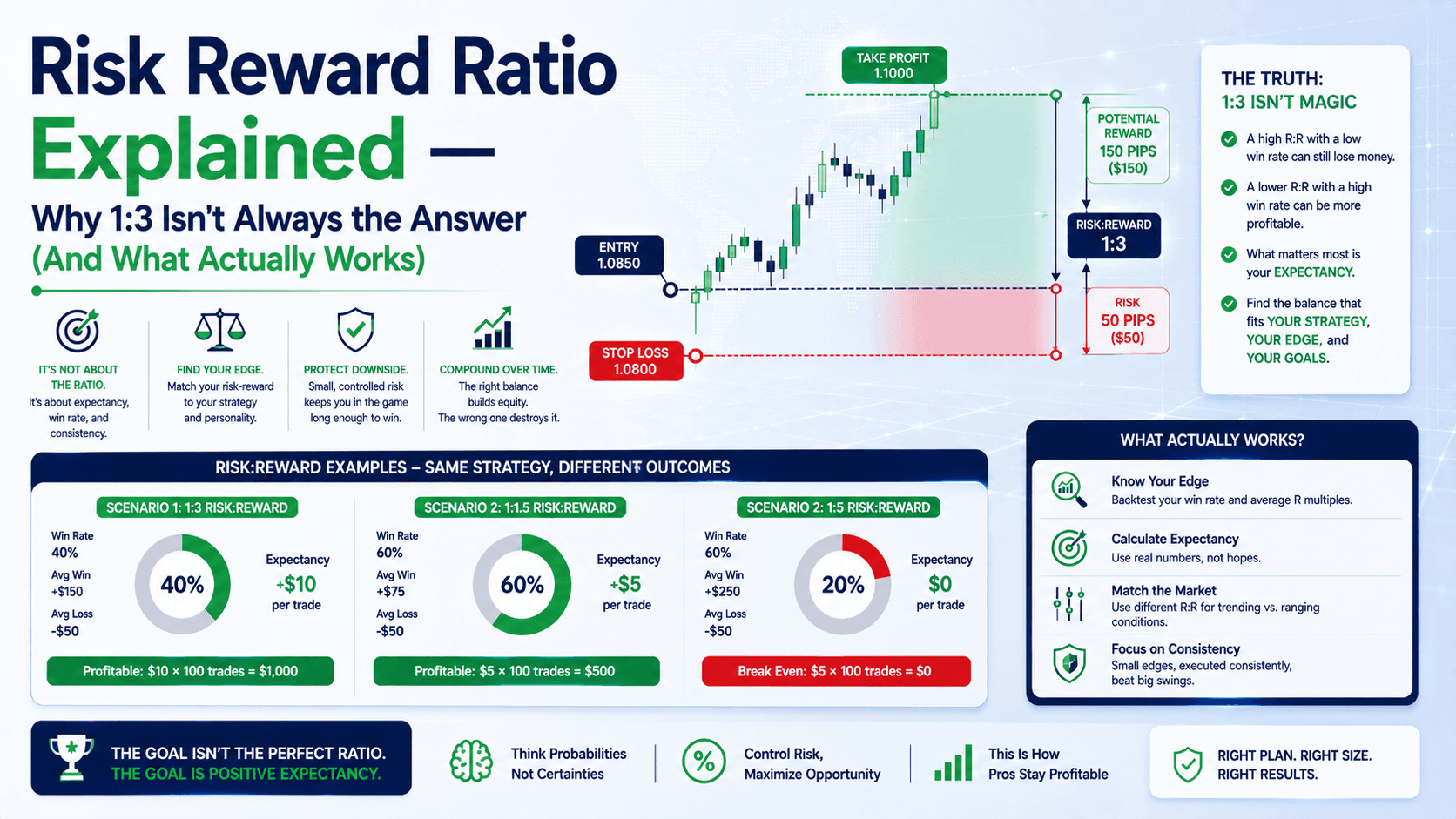
Step 4 — Stop loss: Place stop below the cloud — at 1.0820 (40 pips below entry). On 0.1 lots, that's $40 risk.
Step 5 — Take profit: Target the next resistance level or a 1:2 risk-reward ratio. 80 pips = 1.0940. On 0.1 lots, that's $80 profit.
Step 6 — Manage the trade: If the cloud thins or changes color, consider exiting early. If price stays above the cloud and the cloud stays green, let it run.
This is a basic framework. The key is trend first, then signal, then confirmation.
Common Mistakes Beginners Make with the Ichimoku Cloud
Here's what goes wrong — and how to avoid it:
Mistake 1: Using it on low timeframes. The default settings (9, 26, 52) were designed for daily charts. On a 1-minute chart, the cloud becomes noise. Stick to 1-hour or higher.
Mistake 2: Ignoring cloud thickness. A thin cloud means weak support/resistance. Price can blast through it. A thick cloud means the level is strong — respect it.
Mistake 3: Taking every crossover. The Conversion Line crossing the Base Line is a signal, not a guarantee. Only take it when it aligns with the trend shown by the cloud.
Mistake 4: Not using the Lagging Span. This is the confirmation tool most people skip. If the Lagging Span doesn't agree with the cloud, the signal is weak.
FAQ
Is the Ichimoku Cloud good for beginners?
It has a steep learning curve, but once you understand the 5 components, it's one of the most complete tools available. Start with the cloud and price position — ignore the lines until you're comfortable.

What timeframes work best for the Ichimoku Cloud?
The default settings work best on daily and 4-hour charts. You can use it on 1-hour charts, but lower timeframes create too much noise and false signals.
Can I use the Ichimoku Cloud for scalping?
Not really. The Ichimoku Cloud is a trend-following system designed for medium-term moves. Scalping requires fast execution and tight stops — the cloud is too slow for that.
Should I use the Ichimoku Cloud alone or with other indicators?
The Ichimoku Cloud is a complete system. Adding too many indicators creates clutter. If you want confirmation, use volume or RSI — but keep it minimal.
Quick Recap
- The Ichimoku Cloud has 5 components: Conversion Line, Base Line, Leading Span A, Leading Span B, and Lagging Span.
- Price above the cloud = bullish. Price below the cloud = bearish. Price inside the cloud = consolidation.
- Green cloud (Span A > Span B) = bullish bias. Red cloud (Span A < Span B) = bearish bias.
- Thick cloud = strong support/resistance. Thin cloud = weak levels.
- Always confirm signals with the Lagging Span before entering a trade.
Quick Win
Open your chart right now. Pull up EUR/USD on the daily timeframe. Add the Ichimoku Cloud indicator. Look at where price is relative to the cloud. Is it above, below, or inside? What color is the cloud? That's your trend bias in 3 seconds. Now check the Lagging Span — is it above or below past price? If both agree, you have a confirmed trend. Start practicing this one glance — it'll train your eyes faster than any textbook.